

School districts are responsible for maintaining complex facility portfolios while balancing limited budgets, evolving priorities, and growing expectations from students, families, staff, and communities. Facility leaders need reliable information about building conditions, but collecting assessment data is only the beginning.
The bigger challenge is turning that information into clear priorities and long-term capital plans.
How to Choose Facility Condition Assessment Software for School District Capital Planning
That is where facility condition assessment software can help. The right platform connects condition data to project prioritization, funding scenarios, and capital planning so district leaders can make decisions with greater confidence.
.svg) This guide explains what to look for when evaluating facility condition assessment software for school district capital planning.
This guide explains what to look for when evaluating facility condition assessment software for school district capital planning.

What is facility condition assessment software?
Facility condition assessment software helps school districts capture, organize, analyze, and manage information about the condition of buildings, systems, components, and other physical assets.
Unlike a tool that only stores inspection findings, a complete platform helps teams use assessment data after the inspection. It should support questions such as:
- Which facilities have the greatest needs?
- Which deficiencies create the highest safety, compliance, or operational risk?
- Which projects should be prioritized first?
- How much funding is required over time?
- What happens if available funding changes?
- How can district leaders explain investment priorities to stakeholders?
The most useful systems connect facility condition assessments with capital planning. This creates a clearer path from field data to prioritized projects, funding requests, and long-term investment decisions.
Why the software selection matters
A school district's facility condition data influences decisions that can affect safety, learning environments, maintenance costs, and future budgets. If that data is incomplete, inconsistent, or difficult to use, leaders may struggle to compare needs across buildings or explain why one project should take priority over another.
The right facility condition assessment software can help districts:
- Create a consistent view of conditions across the entire portfolio
- Improve the quality and consistency of assessment data
- Prioritize projects using transparent criteria
- Connect facility needs to estimated costs and funding plans
- Communicate investment decisions more clearly
- Maintain a long-term planning view instead of evaluating projects in isolation
Software should support better decision-making, not simply create another place to store information.
7 capabilities to look for in facility condition assessment software
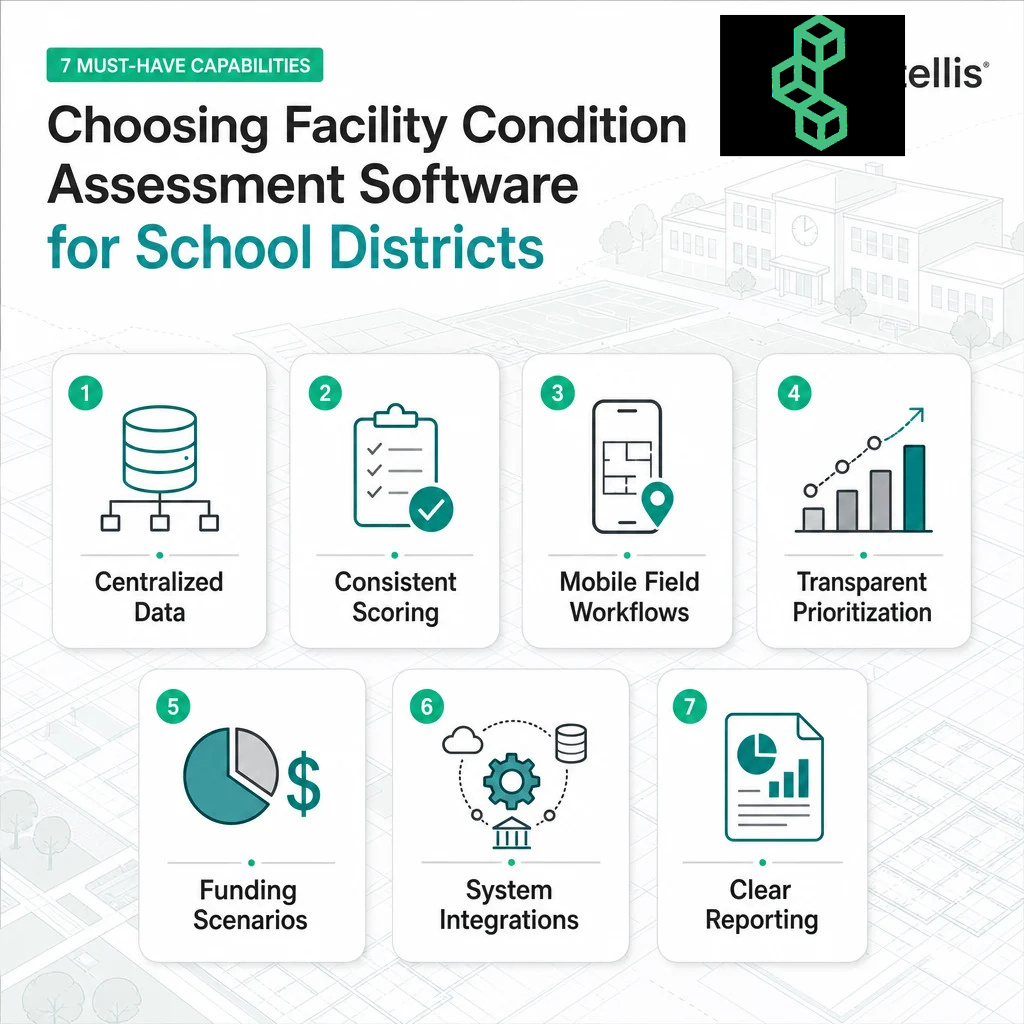
1. Centralized facility and asset data
Start with the basics: Can the platform bring facility, asset, deficiency, project, and cost information together in one connected system?
A centralized data environment makes it easier to compare buildings, identify recurring needs, monitor changes, and give facilities, finance, operations, and leadership teams access to the same planning context.
Ask whether the software can organize information by:
- District or campus
- Building and facility type
- System, component, or asset
- Deficiency or need
- Condition, risk, and urgency
- Project and funding category
The goal is a complete, usable view of the portfolio—not isolated records that require manual reconciliation.
2. Consistent data collection and scoring
School districts may assess different facility types, use multiple standards, or work with several assessment teams. The software should help standardize how information is captured and evaluated while still allowing the district to configure its own requirements.
Look for capabilities such as:
- Configurable assessment forms and digital checklists
- Consistent scoring and rating criteria
- Required fields and data validation
- Quality assurance workflows
- Support for multiple assessment standards
- Clear documentation of how scores are calculated
Consistent scoring gives district leaders a stronger foundation for comparing needs and explaining priorities.
3. Mobile-first field workflows
Facility condition data is collected in the field, so the assessment process should work where the work happens. Mobile-first workflows can help teams capture information efficiently, reduce duplicate entry, and improve visibility into assessment progress.
Ask whether the platform supports:
- Mobile access for field teams
- Data collection with limited or no connectivity
- Photos, notes, and deficiency documentation
- Digital checklists and guided workflows
- Real-time synchronization when connectivity returns
- Progress tracking and data-quality review
A strong field workflow helps ensure that the data reaching the capital planning team is complete, timely, and usable.
4. Transparent project prioritization
A district should be able to understand why one project is ranked ahead of another. Prioritization should be based on clear criteria rather than an opaque score that stakeholders cannot interpret.
Useful prioritization criteria may include:
- Health and safety
- Regulatory or compliance requirements
- Educational impact
- Facility condition
- Asset criticality
- Remaining useful life
- Estimated cost
- Operational impact
- Equity or strategic goals
The platform should allow district teams to configure rules, review the factors behind a ranking, and adjust priorities as circumstances change.
5. Funding scenarios and long-term forecasting
Capital planning rarely involves a single funding path. District leaders may need to compare available funding, bond scenarios, grant opportunities, or different investment strategies over multiple years.
Facility condition assessment software should help answer questions such as:
- What can the district address with the current budget?
- Which needs remain if funding is delayed?
- How does a change in funding affect long-term facility risk?
- Which projects should be grouped or sequenced together?
- How will current decisions affect future capital requirements?
Scenario-based planning gives leaders a clearer way to evaluate tradeoffs and communicate the consequences of different funding choices.
6. Integration with existing systems
Facility data should not become another isolated source of information. Ask how the platform connects with the systems the district already uses, such as enterprise resource planning, project management, maintenance, finance, or asset management systems.
Important integration questions include:
- What systems can connect with the platform?
- How is data imported and updated?
- Can project and cost information flow between systems?
- Are integrations configurable as district needs evolve?
- How are data permissions and security managed?
An integrated platform can reduce manual handoffs and give teams a more complete view of facility needs, projects, and budgets.
7. Clear reporting and stakeholder communication
Facility leaders need to communicate with audiences that have different priorities. A maintenance team may need detailed deficiency information, while a superintendent, finance leader, or board may need a concise view of risk, cost, timing, and investment outcomes.
Look for reporting capabilities that support:
- Role-based dashboards
- Portfolio-level summaries
- Project and funding views
- Traceability from a capital project to the underlying facility need
- Progress tracking
- Configurable reports for different stakeholders
- Clear documentation for funding and governance decisions
The best reporting tools make complex facility information easier to understand and act on.
Questions to ask before selecting a platform
Use these questions to compare vendors consistently:
- Can the platform connect facility condition data directly to capital planning?
- How does it standardize data collection across buildings and assessment teams?
- Can the district configure scoring rules and prioritization criteria?
- Can users see the factors behind a project ranking?
- Does the platform support mobile field workflows?
- Can it model multiple funding scenarios over several years?
- How does it integrate with finance, maintenance, project, or asset systems?
- Can stakeholders trace a proposed project back to the underlying facility need?
- What dashboards and reports are available for facilities, finance, leadership, and the board?
- How does the vendor support implementation, training, data quality, and ongoing improvement?
The answers should show how the platform supports the full process, not only the assessment itself.
From assessment data to a defensible capital plan
A useful way to evaluate facility condition assessment software is to follow the information through the planning process:
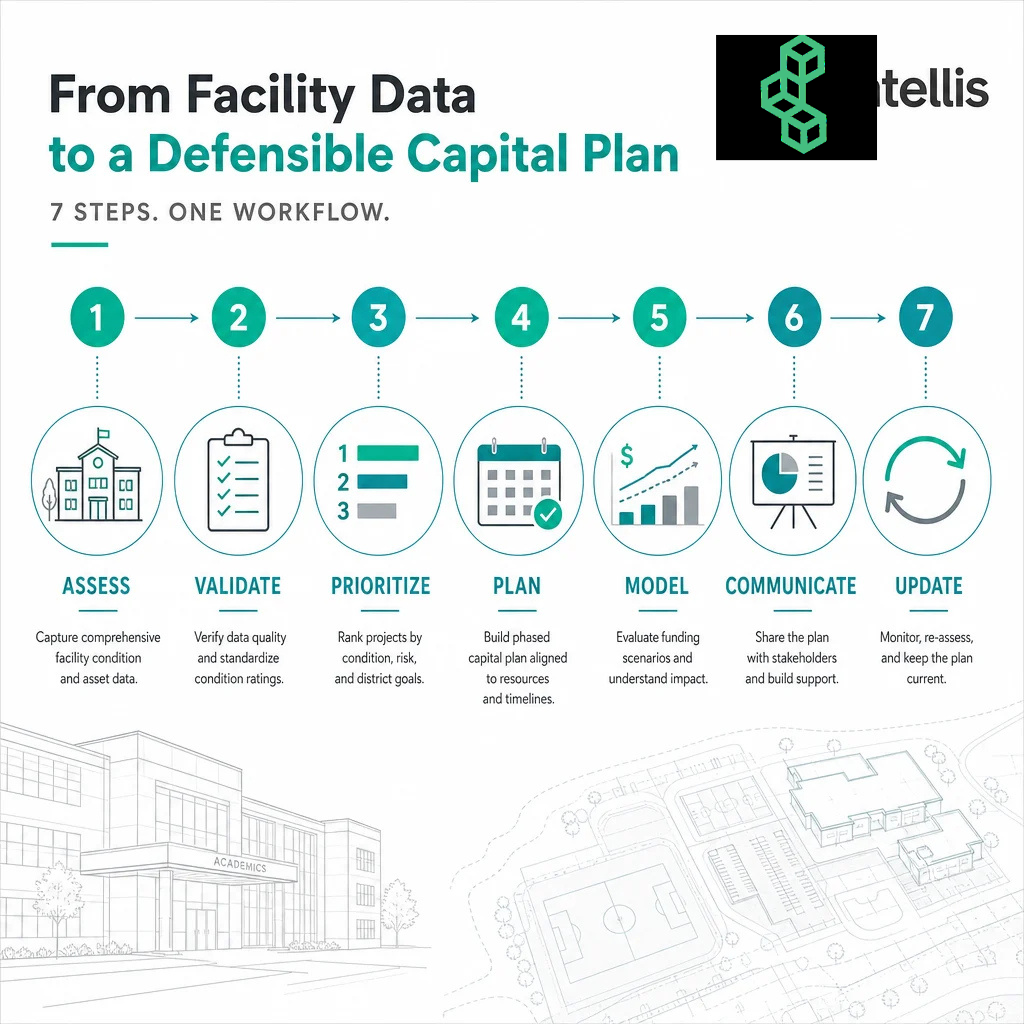
- Assess: Capture consistent condition data in the field.
- Validate: Review data quality, completeness, and scoring.
- Prioritize: Rank needs using transparent, district-defined criteria.
- Plan: Group and sequence projects across multiple years.
- Model: Compare funding scenarios and long-term outcomes.
- Communicate: Present clear priorities, costs, risks, and decisions to stakeholders.
- Update: Keep the plan connected to changing conditions, projects, and budgets.
If the software supports only the first step, the district may still need disconnected processes to make decisions. A more complete platform helps carry reliable information from assessment through planning and investment communication.
How FOUNDATION supports school district capital planning
FOUNDATION by Intellis is a facility capital planning platform designed to help organizations assess asset conditions, prioritize capital needs, and plan future investments with greater clarity.
For school districts, FOUNDATION helps connect facility condition data, project planning, and capital strategy in one configurable platform. It supports four connected areas of work: condition assessments, needs analysis, project planning, and long-term capital plans.
FOUNDATION helps teams:
- Centralize facility condition and asset data
- Evaluate needs using objective analysis
- Prioritize projects and support funding requests
- Connect facility needs to long-term investment plans
- Integrate with ERP, project management, CMMS, FM, space management, and EAM platforms
- Build clearer, more consistent plans for facilities, finance, operations, and leadership teams
The result is a more connected approach to moving from condition data to capital planning decisions.
Frequently asked questions about Facility Condition Assessment Software
What is the difference between facility condition assessment software and capital planning software?
Facility condition assessment software focuses on capturing and managing information about building and asset conditions. Capital planning software uses that information to prioritize projects, evaluate funding scenarios, and create long-term investment plans. A connected platform can support both parts of the process.
What features matter most for school districts?
The most important capabilities typically include centralized facility data, consistent scoring, mobile field workflows, transparent prioritization, funding scenario modeling, integrations, and reporting for different stakeholder groups.
Can facility condition assessment software support multiple schools and campuses?
Yes. A suitable platform should organize data across buildings, campuses, and the broader district portfolio. It should also help users compare needs consistently and view priorities at both the facility and portfolio levels.
How does software improve capital project prioritization?
Software can apply district-defined criteria, such as condition, risk, safety, urgency, cost, and strategic impact, to help rank projects consistently. The platform should also make the reasoning behind a priority visible to authorized users.
Should facility condition assessment software integrate with existing district systems?
Yes. Integrations can help connect assessment data with finance, maintenance, project management, enterprise resource planning, and asset management systems. This reduces manual handoffs and gives teams a more complete planning context.
How can a district evaluate whether a platform is easy to use?
Ask vendors to demonstrate a realistic workflow from field data collection through project prioritization and capital planning. Include facilities, finance, operations, IT, and leadership stakeholders in the evaluation. The best platform is one teams can use consistently and trust over time.
How often should facility condition data be updated?
The appropriate schedule depends on the district's facilities, assessment standards, risk profile, and available resources. The important consideration is whether the platform makes it practical to update data, track changes, and keep capital plans aligned with current conditions.

Conclusion
Choosing facility condition assessment software is a capital planning decision, not only a technology decision. School districts should look for a platform that connects reliable field data to transparent prioritization, funding scenarios, stakeholder communication, and long-term plans.
The right solution helps district leaders move from scattered facility information to clearer decisions about what to address, when to act, and how to justify investment.
To see how FOUNDATION connects facility condition assessments with strategic capital planning, explore FOUNDATION by Intellis.